Cleaning a Live Data Center Without Causing an Outage: Ten Rules
Learn ten practical rules for cleaning a live data center without causing costly outages. Discover how to manage airflow, tools, and risks effectively.
Key takeaways
- Every shift in a live data center requires an approved method statement and a permit specifying the exact work area, hours, and crew.
- Data center cleaning mandates the use of sealed HEPA vacuums while strictly prohibiting compressed air, blowers, and free liquids.
- Cleaning crews must never touch cables, connectors, or power infrastructure, and must use ESD-safe tools to control static electricity.
- Work must immediately stop and supervisors must be notified if an alarm sounds, a temperature rises, or a tile is damaged.
Most cleaning-related outages in a live data center come from a short list of mistakes: a cable pulled by a vacuum hose, too many floor tiles open, a liquid sprayed near an intake, a tool dropped into a rack, or a crew working outside the area it was cleared for. The ten rules below close those gaps. Each one is simple, and each one is broken somewhere every week.
Rule 1: No permit, no work
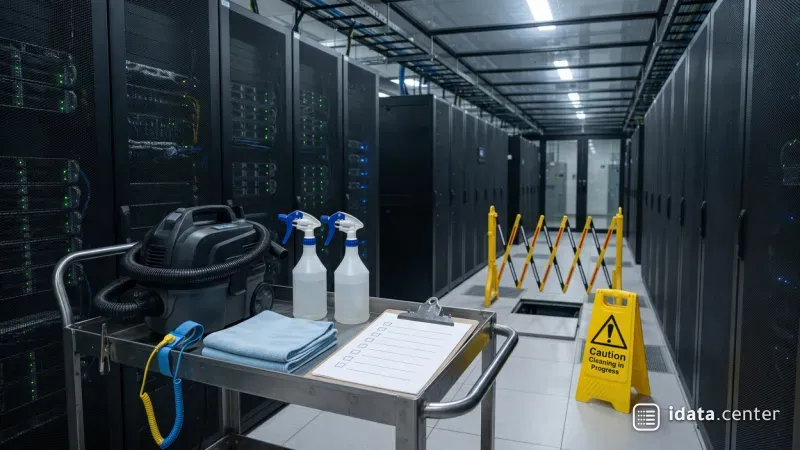
Every shift starts with an approved method statement and a permit that names the area, the hours and the crew. If the work on the day does not match the permit, stop and fix the permit first.
Rule 2: Know what is critical before you start
Ask the site which racks run the most critical systems, where the single points of failure are and which cooling units serve the area. Mark them on the floor plan. Work near them only with the site's agreement. Ask also what other maintenance or changes are running in the same window, because two teams in one aisle double the risk.
Rule 3: Keep the airflow working
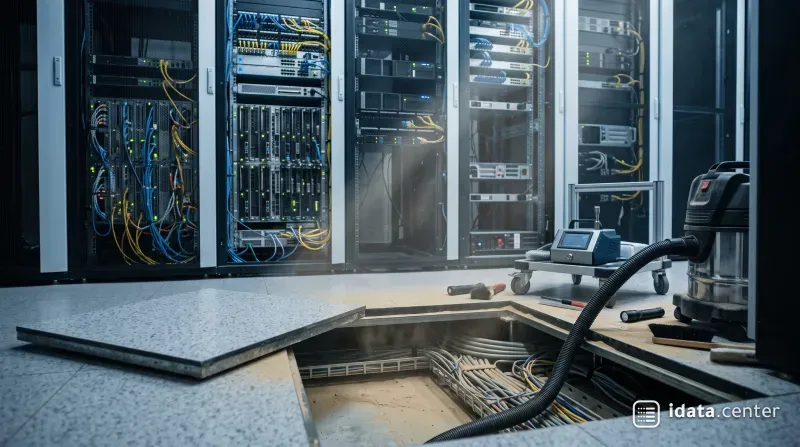
Open as few floor tiles as possible, never more than the limit agreed with the facility engineer, and refit each one before moving on. Keep containment doors closed and blanking panels in place. Watch inlet temperatures on nearby racks while tiles are open.
Rule 4: HEPA vacuums only, no compressed air
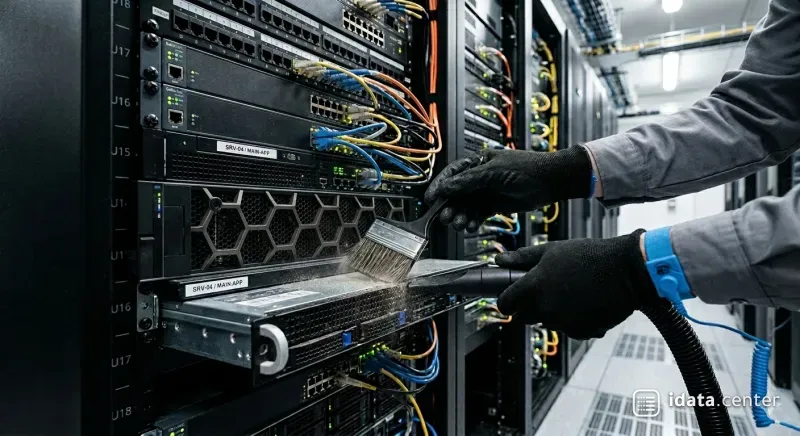
HEPA stands for high-efficiency particulate air, so use vacuums with a stated HEPA filter class in a sealed housing. Compressed air and blowers move dust from one place to another and push it into running equipment. They do not belong in the white space. Check each vacuum before it enters the hall: filter class marked, hoses intact, exterior clean and a power cord long enough to reach without stretching across an aisle.
Rule 5: No liquid near equipment
Vacuum first. Wipe dry or with a cloth lightly dampened with an approved liquid, applied to the cloth. Never spray, mop with free water or use steam in a live room. Using cleaning liquids inside data centers explains which liquids to approve.
Rule 6: Control static
Use ESD-safe tools. When working on rack fronts or near open equipment, connect a wrist strap to the cabinet's grounding point. Avoid synthetic clothing that builds charge.
Rule 7: Do not touch cables, connectors or power
Brush along cable bundles, never across them. Do not lift, pull or re-dress cables, and keep vacuum hoses and power cords clear of patch panels and power whips. Never open electrical panels, PDUs or UPS cabinets, and stay outside the approach boundaries the site sets under NFPA 70E.
Rule 8: Control tools and height
Count tools in and out. Use tool lanyards when working above racks. Use the right ladder or platform for the height and the floor, and never stand on racks, trays or containment. Our article on A-type ladders and scissor lifts covers the details.
Rule 9: Stop when something changes
Stop work and tell the supervisor if an alarm sounds, a temperature rises sharply, a fan changes pitch, a link light goes out, a cable is touched or a tile is damaged. Stopping costs minutes. Continuing can cost an outage.
Rule 10: Leave the room as you found it, and record it
Refit every tile, close every door, remove every tool, bag and cloth, and confirm temperatures are normal. Then record what was cleaned, what was found and what was reported, and close the permit. A photo of each closed aisle at the end of the shift takes seconds and settles most questions later.
How do the rules map to the risks?
|
Risk |
Rules that control it |
|
Overheating from lost airflow |
3, 9, 10 |
|
Dust pushed into running equipment |
4, 3 |
|
Shorts or corrosion from liquid |
5 |
|
Electrostatic damage |
6 |
|
Disconnected or damaged cables |
7, 9 |
|
Electrical injury |
7, 1 |
|
Dropped tools and falls |
8 |
|
Work outside the agreed area or time |
1, 2 |
|
No evidence of what was done |
10 |
How do you make the rules stick?
Brief the rules at the start of every shift, right up to the last one. Put them on one page at the entry to the hall, in suitable multiple languages where the crew uses and understand them. Ask the supervisor to check rules 3, 7 and 10 in person before the crew leaves, because those are where outages most often start.
In the Gulf countries, some work crews may work night shifts during the summer shift change. Fatigue makes it more difficult to comply with Rule No. 9, so rest periods should be planned, and care should be taken to ensure that the supervisor remains on site for the entire duration of the shift change.
For cleaning rack exteriors in detail, see our guide to cleaning active IT cabinets, and for electrical rooms, cleaning power panels and high-voltage cabinets.
Takeaway
Permit, plan, airflow, HEPA, no liquid, static, hands off cables and power, tool control, stop when something changes, and leave it as you found it. Brief the ten rules every shift and check the most important ones before the crew walks out.
Frequently asked questions
What causes most cleaning-related outages in a live data center?
Why should compressed air never be used in a live data center?
What are the rules regarding liquids during data center cleaning?
How should cleaning crews handle cables and power equipment?
What should a cleaning crew do if an alarm sounds or a temperature rises?
© Ashraf Almuhtaseb | idata.center. Short quotes are welcome with credit and a link to this article. Republishing the full article requires written permission.