Handheld Inspection Cameras in Data Centers
Learn how handheld inspection cameras help data center engineers identify hidden contamination in hard-to-reach zones like high ceilings and cable trays to improve facility cleanliness.
Key takeaways
- A handheld inspection camera with a flexible gooseneck probe lets you see dust in places you cannot reach or see directly: under racks, inside cable trays, along fibre runners and on high steel beams.
- Dust in a data center does not collect only where people look.
- A professional inspection camera with a high-resolution lens and a long, flexible gooseneck probe solves this directly.
- At 8 to 12 metres or more, dust on structural steel goes unnoticed in routine inspections.
Handheld Inspection Cameras in Data Centers
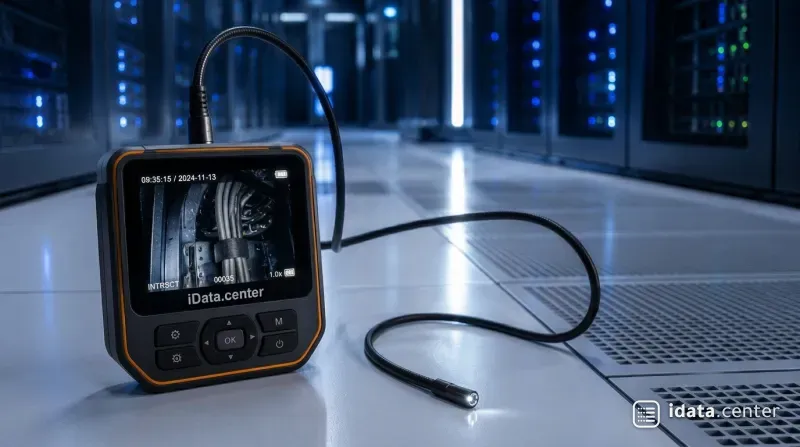
A handheld inspection camera with a flexible gooseneck probe lets you see dust in places you cannot reach or see directly: under racks, inside cable trays, along fibre runners and on high steel beams. It turns hidden contamination into photos and video that you can measure, report and clean.
Where does hidden contamination build up?
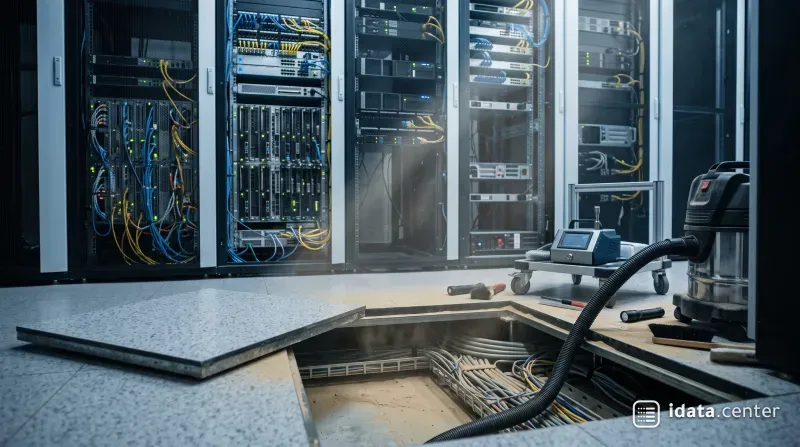
Dust in a data center does not collect only where people look. Some of the heaviest build-up sits in places nobody checks during a routine walk-through: under IT racks, inside cable tray baskets, along fibre runners, behind dense UTP cable bundles and on structural steel and pipes near the ceiling.
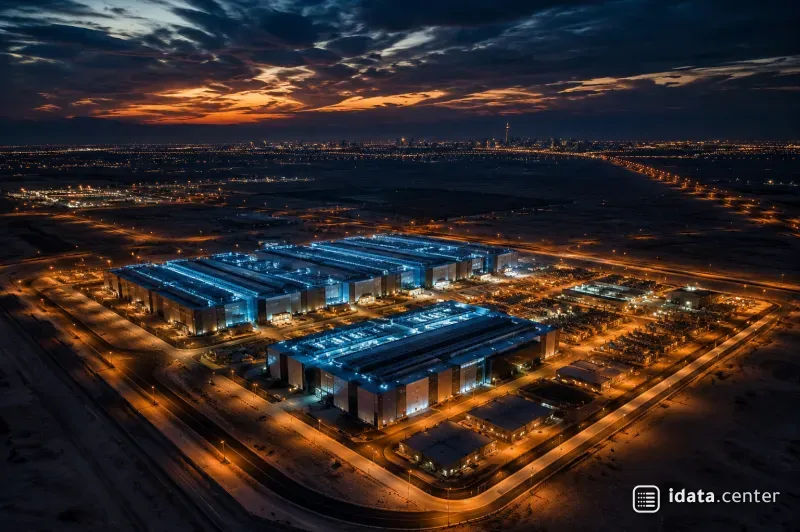
In many modern data centers, ceilings reach 12 metres or more. These upper zones are out of reach for standard scissor lifts, A-type ladders and normal climbing methods. Dust still settles there, and sooner or later it falls. Dust knocked loose from beams and trays rains down onto the equipment below, enters server intakes and recontaminates areas that were just cleaned.
The ASHRAE TC 9.9 contamination guidelines list what that dust does once it reaches equipment: it blocks cooling airflow, interferes with moving parts and can bridge conductors. Without a way to inspect these zones, the contamination stays invisible, unmeasured and untreated.
How does a handheld inspection camera help?
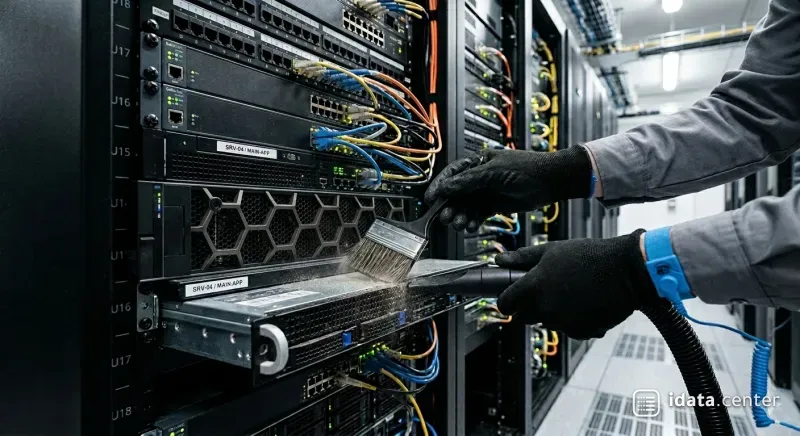
A professional inspection camera with a high-resolution lens and a long, flexible gooseneck probe solves this directly. The cleaning specialist or facility engineer can look into areas that cannot be reached by hand, record contamination before and after cleaning, and pick out the zones that need targeted work.
Under IT racks
Dust collects on cable management, rack bases and floor surfaces that you cannot see without moving equipment. The probe slides under the rack from the aisle.
Inside cable tray baskets and UTP trays
Years of fibrous dust, cable jacket debris and particles build up between tightly packed cables and on the steel supports.
Fibre runners and cable channels
These narrow, closed pathways hide contamination completely from a normal visual check.
High beams and ceiling pipes
At 8 to 12 metres or more, dust on structural steel goes unnoticed in routine inspections. For these, combine the camera's probe with a telescoping extension pole. One operator standing safely on the floor can then raise the camera to ceiling level and turn the probe to inspect beams from every side, with no climbing.
How do you choose a camera?
Look for:
- A probe long enough for your deepest rack or tray, with a gooseneck that holds its shape.
- Built-in LED lighting with adjustable brightness, so shiny cable jackets do not glare.
- Photo and video recording with date and time stamps.
- A mount that fits a telescoping pole for ceiling work.
- A battery that lasts a full inspection shift.
Working at height
Some inspections still need a scissor lift or A-type ladder. When they do, strict safety rules apply every time.
- Wear a full body harness with fall protection when standing on a scissor lift platform or a raised ladder. A fall inside a data hall is a serious risk, and the closed environment can slow emergency response.
- Never inspect at height alone. A second person stabilizes the equipment, hands up tools, watches the operator and responds at once if something goes wrong.
The equipment rules are covered in more detail in climbing safely with A-type ladders and scissor lifts.
What should you record during an inspection?
- The location of each photo or clip, matched to the floor plan or rack number.
- A wide shot first, then a close-up, so the reader can see where the dust is.
- The type of contamination: fine dust, fibrous dust, debris, corrosion or insects.
- A rough rating of the build-up, for example light, moderate or heavy.
- The same view again after cleaning, from the same angle.
- The date, time and name of the inspector on every file.
Why does the visual record matter?
Beyond finding dust, the camera gives you evidence. Photos and video from the inspection create a before-and-after record for the cleaning report, the client file and internal audits. For facility managers reporting to stakeholders, or showing that contamination control is working, this record has direct value.
It also helps plan the next job. Inspection results show which areas need deep cleaning and which can wait, which feeds straight into the data center cleaning plan. For the floor itself, see raised floor tile cleaning.
Contamination does not stop where human reach stops. Ceiling heights, dense cabling and tight rack layouts create zones that cannot be reached by hand, and a handheld inspection camera with a gooseneck probe and extension pole is the practical way to see them.
See what cannot be seen, record what cannot be reached, and clean what would otherwise stay hidden.
Frequently asked questions
What is a handheld inspection camera used for in a data center?
Where does hidden dust build up in a modern data center?
How can you inspect high ceilings and beams without climbing?
What features should you look for when choosing an inspection camera?
What safety rules apply when working at height for an inspection?
Subscribe to new articles
Get new articles by email. No spam, unsubscribe any time.
© Ashraf Almuhtaseb | idata.center. Short quotes are welcome with credit and a link to this article. Republishing the full article requires written permission.